01
Choose a question
Enter a theme such as “Does this count as a snack?” or “Things to pack for a trip.”
Up to 30 characters JevIt
Support
JevIt
Support
JEVIT · SUPPORT
Enter a question and a list of items. JevIt’s AI judges them all at once. Find tips for using the app and understanding your results here.
If something goes wrong, include the screen and steps you were using.
01 · HOW IT WORKS
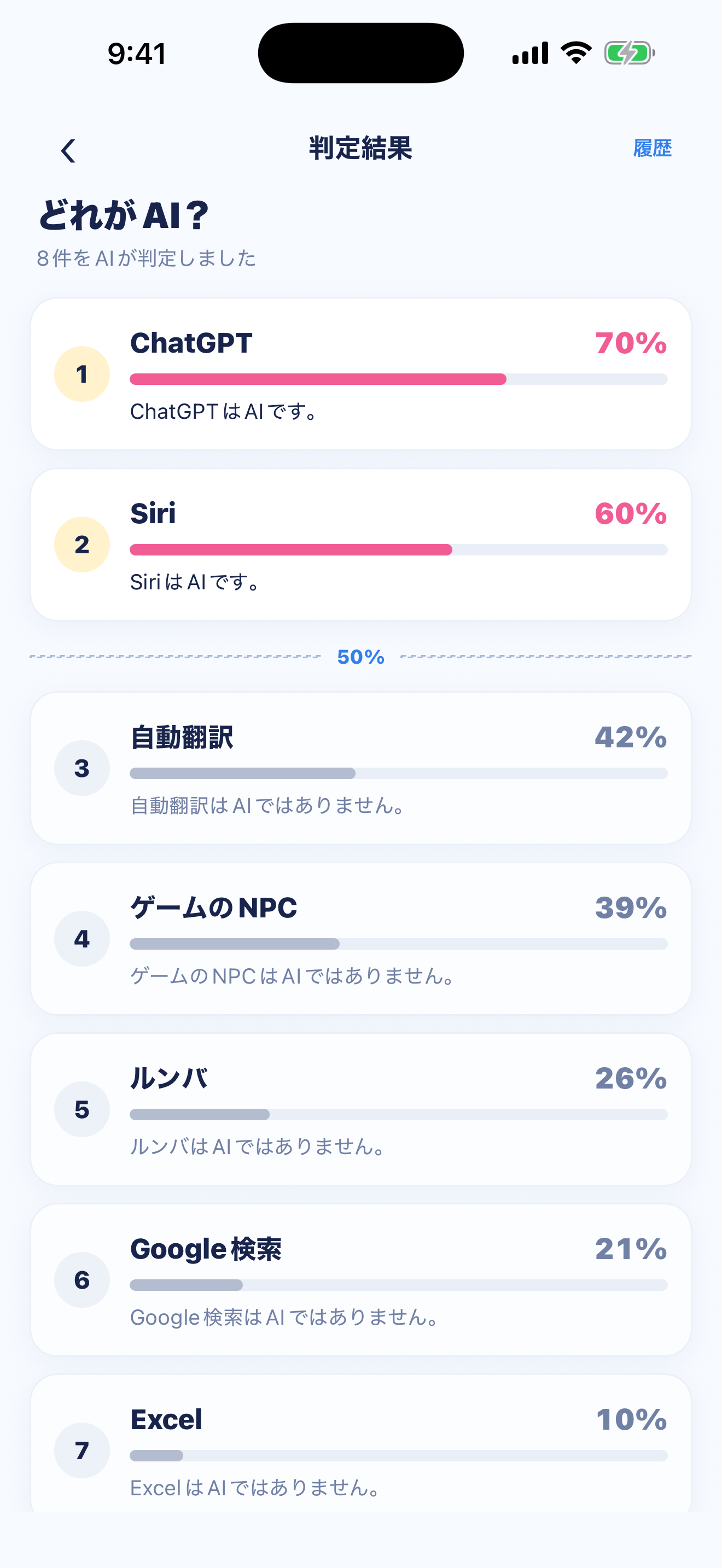
Enter a question and the items you want to compare. JevIt shows each judgment in one list.
Enter a theme such as “Does this count as a snack?” or “Things to pack for a trip.”
Up to 30 charactersEnter one item per line. Blank lines and duplicate items are automatically removed.
2–30 items · 50 characters eachSee items ranked by AI judgment score, share a result image, or reopen a past judgment from history.
50% and above counts as “Yes”HISTORY
Up to 50 judgments are saved on your device. Open any saved item to see its results again.
SHARE
Turn a judgment into an image and send it from your device’s share menu.
02 · QUICK ANSWERS
A few quick answers about using JevIt.
Enter at least 2 and up to 30 items, one per line. Each item can be up to 50 characters, and the theme can be up to 30 characters.
It is the app’s threshold for displaying a result as “counts” or “doesn’t count.” Scores of 50% or higher are shown as “counts”; lower scores are shown as “doesn’t count.”
History is saved on your device, up to 50 judgments. Tap History on the home screen to reopen a saved result.
Judgments and suggested topics require an internet connection. Check your connection and try again. If the problem continues, contact us and include any error message you see.
The app displays Japanese or English according to your device’s language setting. Use “JA” in the header to switch this support page to Japanese.
03 · CONTACT
We’re happy to help. Tell us the app name and what screen or action you were using.